April 1st may pass with its usual pranks and fake news, but the threat of scams remains relentless.
Sadly, scammers don't observe holidays.
Spring ushers in one of the busiest seasons for cybercriminals—not because teams are negligent, but because everyone is juggling a hectic workload, often distracted and rushing. It's during these fast-paced moments that deceptive schemes slip by unnoticed, blending seamlessly into everyday tasks until it's often too late.
Here are three sophisticated scams currently targeting not just unsuspecting victims, but savvy, conscientious employees striving to keep up with their work.
While reading these scenarios, ask yourself: Does every team member take the necessary pause to recognize these threats?
Scam #1: The Toll or Parking Fee Notification
An employee receives a text:
"Attention: Unpaid toll of $6.99. Settle within 12 hours to avoid penalties."
The message references legitimate toll systems—E-ZPass, SunPass, FasTrak—matching the recipient's location. The small charge seems harmless.
Between meetings, they quickly click, pay, and move on.
But that link? It's fraudulent.
In 2024, the FBI tracked over 60,000 reports of fake toll notifications, with a staggering 900% surge in 2025. Cybercriminals have created more than 60,000 bogus domains impersonating state toll authorities—a vast network illustrating this scam's profitability. Shockingly, some messages reached individuals in states without toll roads at all.
Its success lies in subtlety: minimal charges feel low-risk, and many have recently encountered toll or parking fees, making the notification seem credible.
The protective measure? Genuine toll agencies never demand immediate payment via text message links. Wise organizations enforce a strict policy: payments must be made only through official websites or apps. Employees also avoid replying, even with "STOP," to prevent confirming an active number and attracting further scams.
Easy convenience is the bait; strict procedures are your safeguard.
Scam #2: Fake "Your File Is Ready" Alert
Seamlessly integrated into daily work, this scam mimics legitimate file-sharing notifications.
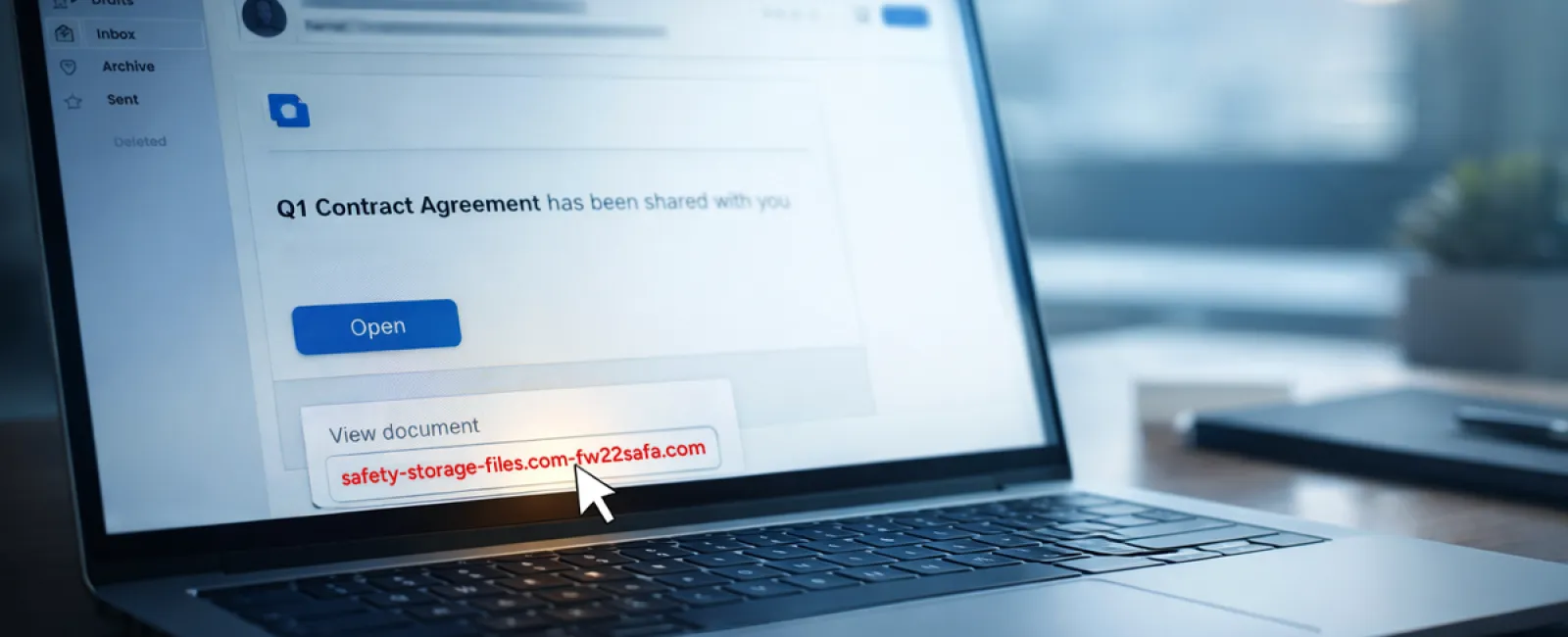
An employee receives an email stating a document was shared with them—commonly a contract via DocuSign, a spreadsheet on OneDrive, or a file through Google Drive.
The sender appears authentic, and the email presentation matches typical file-sharing alerts.
They click the link, are prompted to log in, and enter their work credentials.
Unwittingly, the attacker now has access to the company's cloud systems.
Such phishing attacks have surged dramatically. KnowBe4's Threat Labs reports a 67% rise in scams exploiting platforms like Google Drive, DocuSign, Microsoft 365, and Salesforce in 2025. Phishing via Google Slides links increased over 200% in just six months.
More concerning, employees are seven times likelier to click on malicious links from trusted platforms like OneDrive or SharePoint than random emails because these notifications look legitimately familiar.
Advanced versions come from compromised accounts, using the official sharing functions. The emails originate from real servers, bypassing spam filters since technically they are genuine notifications.
Effective defenses include: training staff to avoid clicking unexpected file links in emails and instead logging into platforms directly to verify access; curbing external sharing capabilities; and setting alerts for suspicious login activities—all implementable within minutes by IT teams.
A simple habit that provides robust protection.
Scam #3: Expertly Crafted Phishing Emails
Gone are the days when phishing emails were easy to detect due to poor spelling or clumsy formatting.
Now, AI-generated phishing messages are winning over 54% of recipients compared to just 12% for human-crafted ones, according to a 2025 study. These messages incorporate genuine company names, real job titles, and authentic workflows scraped swiftly from LinkedIn and company websites.
New tactics target specific departments: HR and payroll receive forged employee verification requests; finance teams get bogus vendor payment instructions. A recent exercise showed 72% of employees engaged with vendor impersonation emails—a 90% higher rate than other phishing types. These emails are professional, calm, urgent without hysteria—just a typical workday inbox message.
Safeguards include: any requests involving passwords, payment changes, or sensitive info must be verified through a second channel—phone calls, chat messages, or in-person confirmations. Employees should always hover over email addresses to validate domains before clicking, and treat pressure or urgency as a trigger to pause.
Strong security relies on calm vigilance, not fear-driven clicks.
Key Insights
All these scams depend on leveraging trust, authority, timing, and the belief that "this won't take long."
This reveals the true risk: not reckless employees, but flawed systems that expect everyone to slow down, verify, and make perfect decisions under pressure.
If one rushed mistake can disrupt your operations, it's less a people issue and more a process failure.
Thankfully, processes can be strengthened and risks mitigated.
How We Support You
Most business owners don't want to shoulder the burden of constant training or become the "click police."
They simply want reassurance their companies remain protected.
If you worry about your team's vulnerability—or know someone who should be—you're invited to discuss your concerns with us.
Book a direct, no-nonsense discovery call to cover:
•
Current risks businesses like yours face
•
Typical entry points for threats during everyday activities
•
Actionable steps to reduce threats without hindering productivity
No pressure. No gimmicks. Just an opportunity to identify issues and explore solutions.
Click here or give us a call at 858-202-0304 to schedule your free 15-Minute Discovery Call.
If this doesn't apply to you, feel free to share it with someone who could benefit. Often, awareness is all it takes to change a potential "click" into a "blocked threat."